CodebroAI GO
Take your business operations anywhere. CodebroAI GO is a high-performance, offline-first Mobile ERP client built for real-time inventory management, stock controls, and mission-critical field operations.
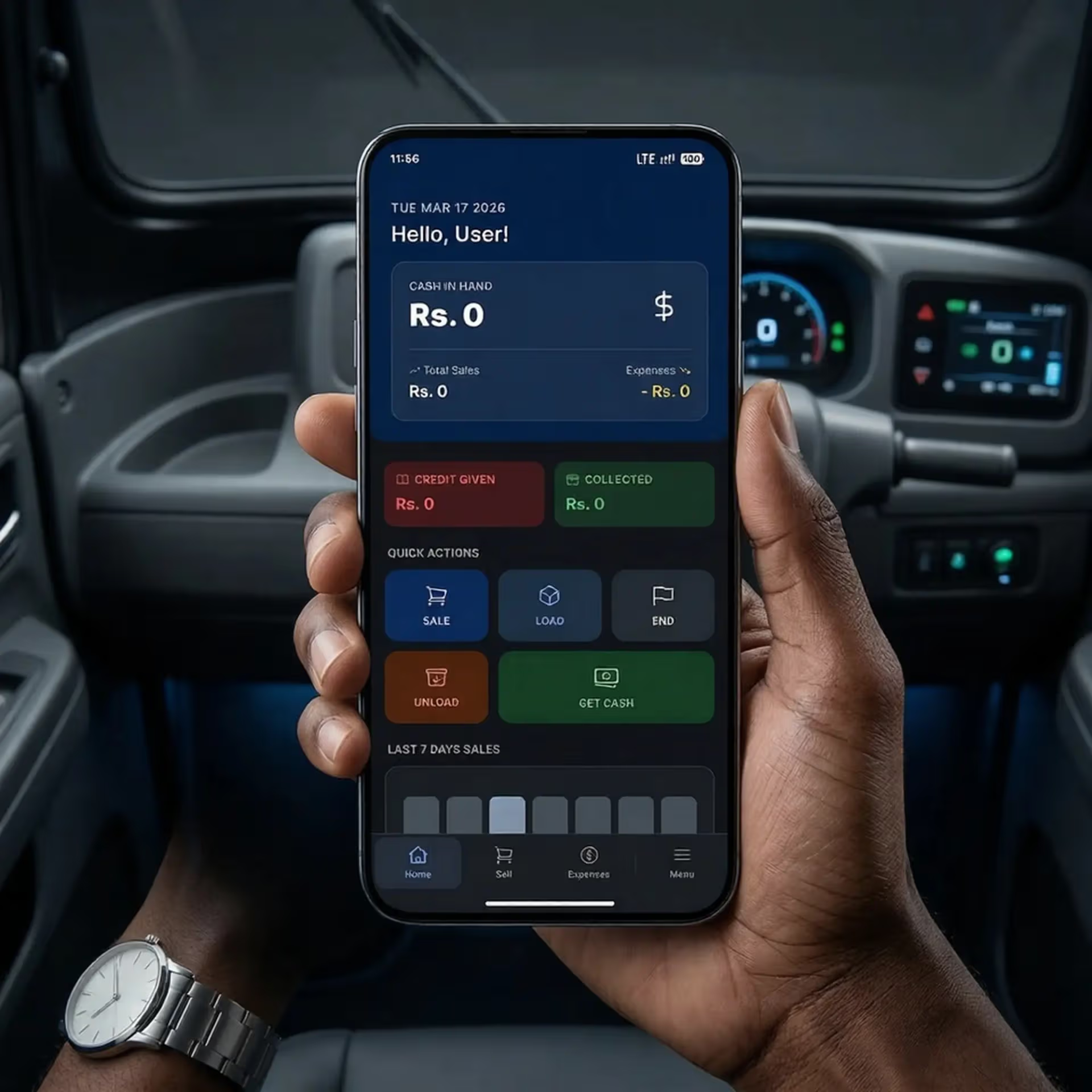
Advanced Mobile Operations Platform
Engineered with modern technologies, CodebroAI GO delivers exceptional ERP capabilities under native-like offline environments.
Real-time Sales
Streamline point of sale operations directly on mobile. Post sales instantly and print/share receipts on the fly.
Offline Sync
Work without active internet. Transactions are queued locally and automatically sync back when connection is restored.
Role Secured
Restrict access at the staff level. Secure transactions, sensitive inventory lists, and financials behind advanced role controls.
Market Credit
Manage outstanding credit limits, customer payment terms, and client accounts directly from the field.
Manufacturing
Track raw materials, BOM recipes, and production workflows directly from your mobile dashboard.
Staff & Payroll
Track attendance, assign tasks, log daily wages, and manage local staff operations seamlessly on the move.
Multi Inventory
Check stock availability, perform audits, and transfer goods between multiple warehouses in real-time.
Smart Analytics
Review sales trends, top performing products, and profit matrices with interactive visual reporting.
GPS Tracker
Track delivery routes, verify field agent locations, and log client coordinates for logistics optimization.
Strategic Pricing Matrix
Scale up your inventory tracking and staff controls seamlessly. Choose a package tailored to your workload.
Growth Plan
Ideal for small retail shops starting out.
- 150 Inventory Items max
- 1 GB Cloud Storage limit
- Staff accounts disabled (0)
- Core: POS & Expenses
Scale Plan
Perfect for growing businesses needing staff management.
- 500 Inventory Items max
- 5 GB Cloud Storage limit
- BOM Recipes & Manufacturing
- Up to 10 staff accounts
- Multi-location inventory tracking
How to Install (Sideloading Guide)
Since CodebroAI GO is a direct-distributed Android application, follow these simple steps to install it on your device:
Download APK File
Click the download button above to save the latest APK package onto your Android smartphone or tablet.
Enable Unknown Sources
Go to Settings > Security > Install Unknown Apps on your device, and allow installation permission for your web browser.
Install and Login
Open the downloaded APK from your Notifications or File Manager, click Install, launch the app, and enter your workspace domain to log in.
Changelogs & Version History
Track historical updates, performance enhancements, and bug fixes for the CodebroAI GO application.
What's New in this Version:
- Initial launch of CodebroAI GO mobile ERP client for Android.
- 100% offline-first reactive local database powered by RxDB and Dexie.
- Real-time bi-directional synchronization and replication with Supabase backend.
- Mobile Point of Sale (POS) controls with PDF invoice generation and receipt sharing.
- Raw materials inventory logs, multi-warehouse controls, and Bill of Materials (BOM) manufacturing recipes.
- Staff registry, role-based permission locks, expense logging, and geofenced GPS coordinate tracking.